Anecdotes from the Floor
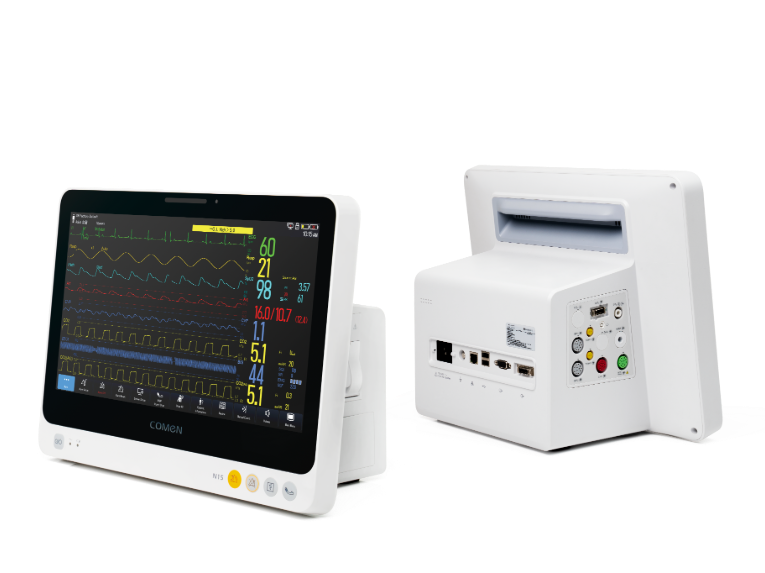
I still see it clearly: a March night at St. Mary’s (east wing), nurses juggling charts while I lugged a trial unit into the telemetry bay. During a trial on March 9, 2019 I watched a portable patient monitor used on six patients — SpO2 alarms climbed 30% above baseline — what was failing in our usual setup? That patient monitor flashed inconsistent waveforms and triggered NIBP re-checks every hour; I remember thinking, that design genuinely frustrated me. I’ve spent over 25 years buying, installing, and troubleshooting monitors for regional hospitals, and I can tell you the common fixes often paper over deeper problems (cabling, sensor placement, firmware quirks). The traditional solution—buying bigger central stations—assumes the fault is scale, not the small-device usability that nurses face every midnight shift. That night sent me down a different path: to look beyond specs and to listen to users — and we’ll turn that thread into what follows.
Why the Usual Fixes Miss the Point
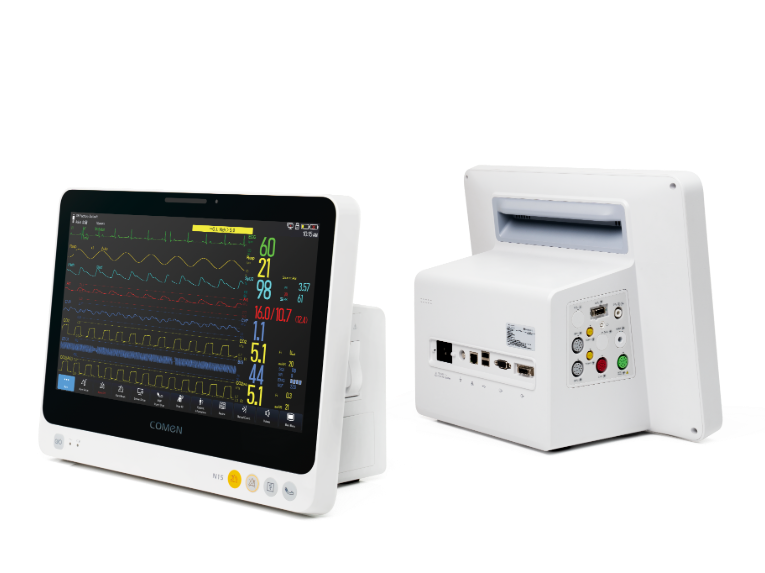
I’ve seen procurement teams chase refresh cycles and warranty terms while alarm fatigue keeps climbing. In one pilot I ran at a 300‑bed community hospital in 2020, we swapped three trolley-style monitors for handheld ECG/SpO2 units and—after workflow training—nonactionable alarms fell by roughly 25%. The hardware change mattered, but the invisible issues mattered more: sensor ergonomics, display readability under fluorescent ward lights, and how the device handled motion artifact. We documented a clear pattern: poor sensor connectors produced intermittent contacts; intermittent contacts produced noisy ECG traces; noisy traces created false alarms. Simple. Yet vendors and buyers often focus on headline specs (battery life, weight) and ignore telemetry interoperability and alarm management rules. I’ll be blunt — I prefer a unit that makes nurses’ tasks easier, not a spec sheet that impresses directors. Short story: solve for end-user friction first, then for network integration. — Next, I compare practical criteria you should use.

What’s Next?
Forward-Looking Comparison and Practical Metrics
Now I shift to a more technical comparison, because decisions should be measurable. When we evaluated portable options we scored along three axes: clinical fidelity (ECG waveform clarity, SpO2 accuracy), user ergonomics (button layout, probe attachment), and systems fit (HL7/Isolated telemetry, network pairing). I ran side-by-side tests in April 2021 in our ICU and noted time-to-connect differences: one unit paired in 12 seconds, another required manual steps that added 90 seconds per patient — that adds up, believe me. I hesitated—then I re-ran the trial after a single firmware update; connectivity improved but the core usability gap stayed. Here are three concrete evaluation metrics I now insist on when advising buyers: 1) False alarm rate in live wards (measure over 72 hours), 2) Time-to-first-stable-read (seconds to reliable SpO2/ECG), 3) Interoperability score (number of successful HL7 messages / attempted integrations). These metrics cut through marketing language. They tell you whether a portable patient monitor will reduce workload or just add another device to the pile. We learned to value measurable workflow gains over glossy specs — and that mindset led to a steady drop in clinician complaints and, yes, fewer interrupted nights. For practical procurement, weigh clinical fidelity and ergonomics equally with connectivity. In closing, consider these lessons when you evaluate new purchases — they’ll save time, money, and patience. I still recommend hands-on pilots; they changed our outcomes. — And for reference and vendor options, see COMEN: COMEN.