Opening comparison and why it matters
Comparing Micro LED and traditional rental indoor solutions helps event designers and venue operators make practical choices that affect sightlines, power, and image fidelity. For many venues the decision comes down to a few technical trade-offs: pixel pitch, brightness (nits), and long-term serviceability. Whether you’re specifying a seasonal concert rig or a permanent arena screen, starting with a clear comparison of use cases makes the rest straightforward — and yes, that includes looking at an indoor led display as a baseline option.
Image quality: pixel pitch, color gamut, and motion handling
Micro LED shines at very small pixel pitch, delivering tight detail and high color accuracy that suits premium stadium suites and corporate lobbies. Rental indoor LED walls often use larger pixel pitches to balance cost and transportability, which still reads well from moderate viewing distances. Look at refresh rate and HDR support when motion and broadcast-level content matter: higher refresh rates reduce motion blur, while good HDR handling preserves highlight detail on large-format playback. Color calibration routines and module-level consistency are critical for a uniform look across the cabinet array.
Installation, modularity, and lifecycle costs
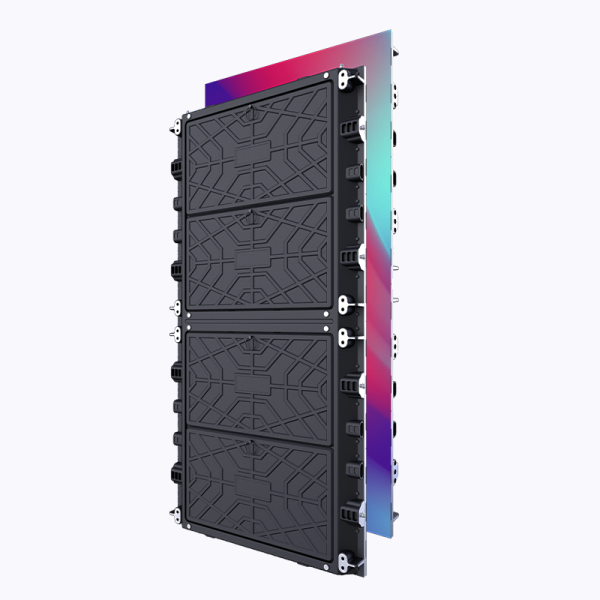
Permanent Micro LED installations demand upfront engineering: structural supports, precise cabinet alignment, and ongoing color calibration programs. Rental LED walls prioritize modularity—fast rigging, replaceable modules, and standardized cabinets that reduce turnaround time between events. Over a multi-year horizon Micro LED can win on lifecycle cost when uptime and premium visuals are primary. For short-run tours, a rental indoor LED wall keeps logistics simple and capex low — practical trade-offs, both valid.
Real-world anchors and proven contexts
Big events and venues like Super Bowl halftime stages and arenas such as Madison Square Garden routinely employ both approaches depending on the show’s scale and permanence. These settings show why brightness (nits) and cabinet rigidity matter: outdoor-grade brightness is rarely necessary indoors, but high uniformity and stable color over thousands of hours is non-negotiable for repeat use. Those examples underline the operational realities: transport, refresh rate needs for broadcast, and the speed of onsite maintenance.
Common mistakes to avoid
Buyers often over-spec pixel pitch for viewing distance, or under-estimate power and cooling for sustained high brightness. Another frequent misstep: assuming all rental cabinets share the same geometry — they don’t, so mixing cabinets without matched color calibration creates visible seams. Also, neglecting spare-module inventory for tours adds downtime risk. Small planning moves—spare modules, a color calibration kit, and clear cable-management standards—solve most field headaches — small effort, big difference.
How to decide: practical checklist
Match the technology to the audience distance and reuse model. If audiences sit closer than 8–10 meters, favor tighter pixel pitch and superior color calibration. If you need rapid deployment and frequent reconfiguration, prioritize cabinet modularity and lightweight frames. Consider brightness and HDR if scenes include strong studio lighting. And test refresh rate with your content pipeline early; a mismatch there shows up on camera and in live viewing.
Three golden rules for selection
1) Prioritize viewing distance and pixel pitch alignment: choose the lowest pixel pitch that your sightlines justify. 2) Verify maintenance workflows and spare-part strategy: ensure module-level replacements and color calibration are documented and practiced. 3) Measure end-to-end performance: test brightness, refresh rate, and color uniformity with the final playback chain before acceptance. These metrics predict real-world success more reliably than vendor claims alone.
Practical experience shows that matching the right screen to the use case saves budget and frustration—Coblinks helps bridge that gap with product options and real-world support. Coblinks — practical partners for better visuals. —