Why this matters to you
If you run vans, utes or trucks and want fewer headaches from incidents, theft or paperwork, start by thinking about outcomes not specs. A well-configured AI dashcam can cut dispute time, keep drivers safer and save you admin hours. Real-world fleets I’ve worked with often treat reliable video as the single source of truth; that’s where proper fleet dashcams come into play, especially for crews that do a lot of city runs and rural hauls.
What you actually need to check — plain and simple
Start with these user-focused questions and answer them before you talk to vendors: – What incidents do you want to reduce (collisions, third-party claims, theft)? – Do you need live tracking, event-triggered clips, or continuous loop recording? – How long must footage be retained and who needs access? – Do drivers need a non-distracting interface? Name your outcomes and use them to filter tech choices. You won’t regret being strict here.
Core system pieces — no fluff
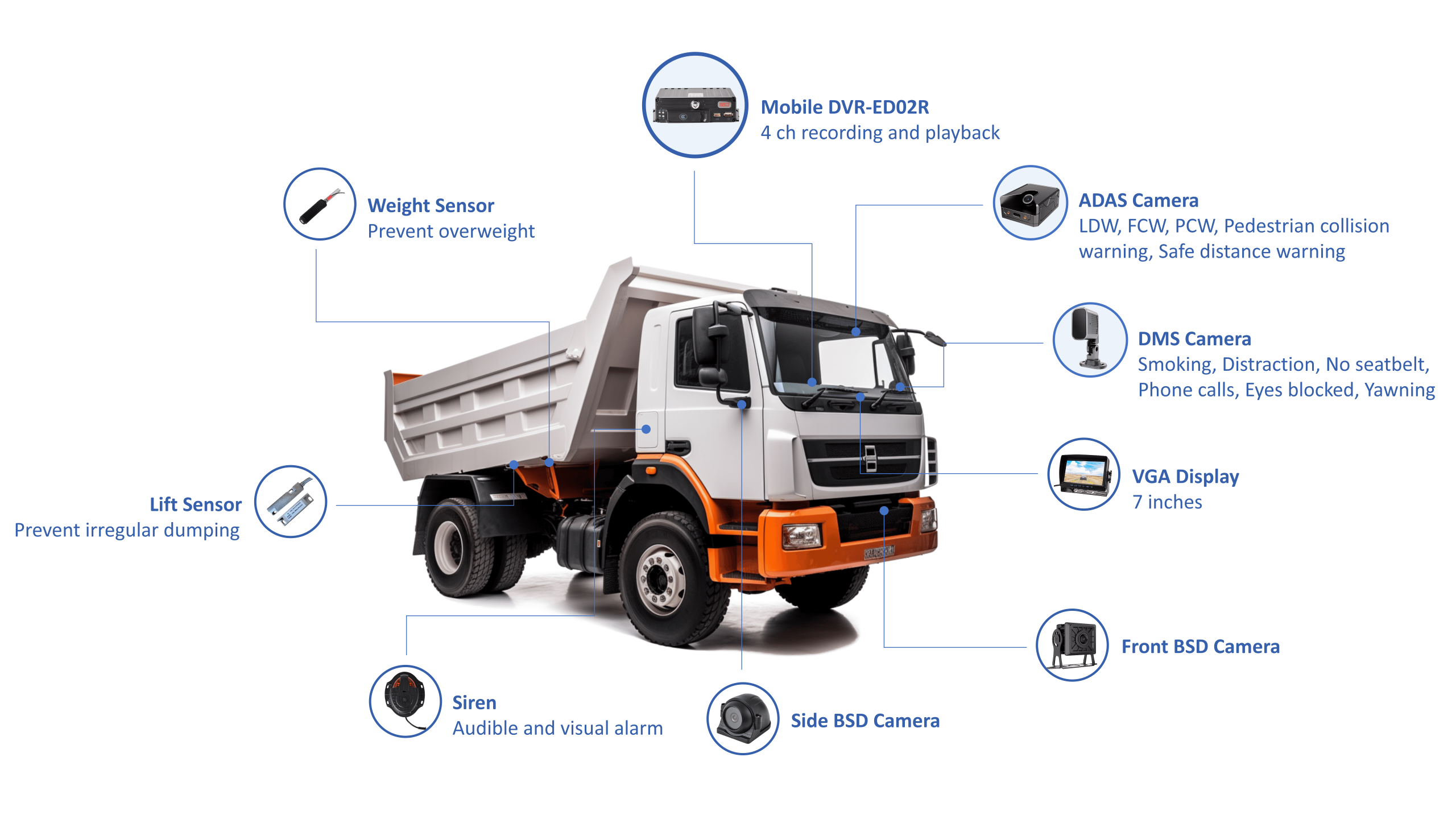
Think of the system as four parts that must play nice together: cameras, an in-vehicle MDVR (recording unit), onboard storage/backup strategy, and the video telematics software. Each part has a job: cameras capture clear evidence; the MDVR manages multiple streams and timestamps; storage holds the footage long enough for claims; software lets you search, share and audit. Don’t buy cameras first and hope the rest will sort itself — match capability across the whole stack.
Common pitfalls fleet managers get caught by
Watch out for these common traps: – Choosing high-res cameras without upgrading network or storage; you’ll run out of space fast. – Ignoring ruggedisation — cheap units fail under vibration and temperature swings. – Assuming every AI feature is useful; false positives waste time. – Skipping user training; drivers won’t use the system correctly if it’s clunky. Fix these early and rollout goes smoother. Folks in Auckland fleets I’ve talked to always emphasise rugged units and sensible retention policies over flashy extras.
How to compare systems — quick checklist
When you’re side-by-side with vendor specs, score each system on: video clarity at speed, MDVR uptime and power protection, flexible storage (local plus offload), software searchability, and ease of driver interaction. Also factor in warranty and local support. If you need a short-list, pick one that balances on-road resilience with straightforward cloud access; that balance saves time and money.
Deployment tips that cut hassle
Rollout in small stages. Fit a pilot group of vehicles, collect feedback from drivers, and tweak retention and alert thresholds before a full fleet rollout. Make sure maintenance teams know the power isolation points and check mounts quarterly. Keep driver-facing alerts minimal so people don’t fiddle while driving. Train managers on how to pull footage and export it for claims — that’s where the busiest benefits land.
Alternatives and when to pick them
If you only want dash evidence for a handful of vehicles, a simple camera-with-cloud backup might do. If you’re running mixed assets with trailers and refrigerated loads, pick a modular MDVR that supports extra I/O and sensors. For urban delivery fleets that need live monitoring, prioritise low-latency streaming and fast clip downloads. Match tech to use-case, not hype.
Final word — what delivers value
You want fewer disputes, safer drivers and less time hunting footage. Keep your choices outcome-led, pilot before full rollout, and prioritise rugged hardware plus searchable software. Many fleet operators end up with systems that stitch cameras, storage and telematics into a single thing crews trust, which is exactly what BSJ builds into its platform.