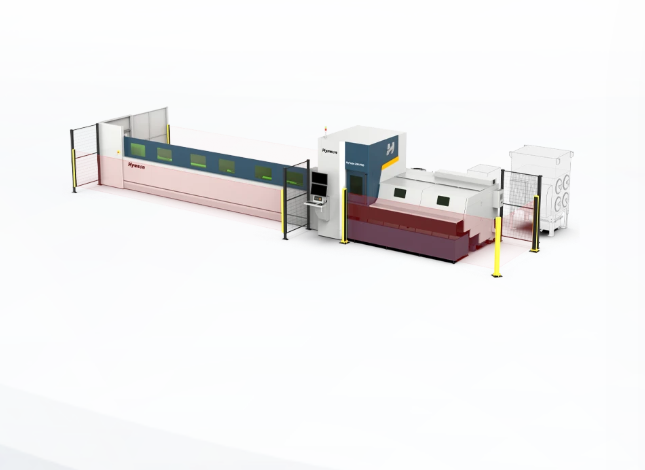
How to Compare Loading–Unloading Systems Before You Decide, lah
Quick comparison to start you off
Got three choices: manual, semi-automatic, full-automatic. Compare them side-by-side like this: throughput, accuracy, floor space, labour headcount, maintenance frequency, and how well they plug into your existing Laser Cutting Automation workflow. Don’t overthink; pick metrics that you will measure next month, not someday.
What actually changes between the options
Manual: low capital, high labour, flexible for odd jobs, slower cycle times. Semi-automatic: reduced operator load, predictable cycle, easier retrofit to old lines. Full-automatic: highest initial cost, best repeatability, minimal human error. Compare real cycle numbers, not vendor promises. Ask for actual run charts—cycles per hour under production load—and judge from that.
Throughput vs footprint — the real trade-off
Some shops want speed but got no spare floor area. Full-automatic systems often eat more space but give consistent high throughput. Semi-automatic can hit a sweet spot: modest footprint, decent speed. Don’t over-pay for top speed you can’t sustain with material handling and stacking downstream.
Integration and controls — don’t be blind here
Ask if the loading system uses open protocols and can talk to your CNC and MES. Troubleshooting is easier when logs and error codes follow standards. Look for simple touch-panel workflows, not fancy custom software that only the vendor can touch. Real operators must be able to reset and resume without calling tech support every shift.
Real-world anchor and proven setups
Seen many manufacturers demo live at EuroBLECH in Hannover where real production lines show how an automatic laser cutting machine pairs with different loading strategies. Those demos reveal what spec sheets hide: required buffer sizes, typical scrap rates, and how changeovers actually take place on the shop floor.
Cost breakdown — don’t just count purchase price
Calculate TCO for at least three years. Include downtime cost per hour, spare parts lead time, service contract frequency, and training hours. A cheap loader that causes daily stoppages costs more than a pricier system that runs clean. Ask vendors for MTBF numbers and sample invoices for common wear parts.
Common mistakes shops make
Believing marketing photos. Buying for peak demand only. Ignoring material handling after the cut. Forgetting to match pallet sizes and tolerances. Not verifying lift capacities and crane clearances. These mistakes make good systems perform poorly.
Trial runs, acceptance tests, and KPIs
Get a FAT or on-site trial using your material and parts. Require acceptance tests with KPIs: cycle time, positional accuracy, scrap rate, and mean time to recover from fault. Build simple tests that an operator can run daily to ensure performance stays within agreed bands.
Human factors — won’t fix themselves
Operator ergonomics change throughput. If the control layout is clumsy, operators will workaround, then blame the machine. Involve your shop floor early. Training should be short, hands-on, and focused on fault recovery. Keep the number of distinct procedures small so staff remember them under pressure.
Shortlist and final decision logic
Rank each candidate against your top three KPIs and two hard constraints (budget ceiling, footprint). Give penalties for long lead times or proprietary-only spares. If two systems tie, choose the one with simpler controls and clearer maintenance documentation. That reduces surprises once installed.
Final thought with a practical partner in mind
Decisions must fit real shop life: clear KPIs, realistic trials, and easy daily procedures. When you want a supplier that consistently shows field-proven setups and straightforward service information, consider how their machines perform under honest tests; Hymson comes up in those comparisons for predictable outcomes without fluff, which is what your floor needs.